CloudThinker Agentic Orchestration and Context Optimization
We've all built chatbots. They're good at answering questions and bad at doing work. When we started building CloudThinker, we wanted an agent that could notice a climbing cloud bill, find the database config behind it, propose the fix, apply it within the policy we'd set in Auto Mode, and send us the report.
Moving from talking to doing turned out to be mostly a context problem. A single agent with every tool and one shared history hits a wall on long-running work. It can't hold specialist depth in every domain, it can't run independent steps in parallel, and its token count grows with every tool call until a ten-minute investigation burns $50 to tell you "I don't know."
This post is the architecture we built to get past that wall. Against our own baseline, it produced 80 to 95% cost reduction, 7x faster task completion and 85% latency reduction. It covers how we coordinate a team of specialist agents, then the four context techniques that keep the token bill flat: prompt caching, asynchronous context compaction, tool consolidation and parallel tool calling.
Why the obvious architecture fails
The obvious design is one agent, every tool, one growing history. It works in a demo and fails in production for structural reasons:
- Context grows with every step. An agentic task can make 50+ tool calls. Each observation stays in the history and is re-read on every later call, so input tokens grow much faster than the useful work.
- Breadth dilutes depth. One prompt can't be an expert in Kubernetes, billing and security at once. As we added domains, the single agent started making domain mistakes it hadn't made before.
- Everything is sequential. One tool call, wait, reason, next call. Independent checks queue behind each other.
- Naive fixes break the cache. Inserting a timestamp, editing the system prompt or swapping in a "summarizer" persona invalidates cached context and makes every later call full price.
The rest of this post is how we handled each of those.
Coordinating a team of specialist agents
Start with one agent
Always start with a single agent. A team of agents is harder to debug than one, and the coordination overhead is real. We didn't move to specialists because it was fashionable. We moved because the single agent hit a ceiling on complex, cross-domain work and the metrics showed it.
We compared three coordination patterns:
| Pattern | Coordination model | Verdict |
|---|---|---|
| Single agent | None needed | The ceiling. Great for simple tasks, fails hard on complex ones. |
| Network (peer to peer) | Distributed consensus | The trap. A committee meeting with no agenda: lots of talking, no decisions. |
| Supervisor | Centralized coordinator | What we use. Clear ownership, one coordinator, many workers. |
- Single agent (the baseline). We ran one generalist until it failed on multi-domain tasks. Don't pay the coordination cost until you have to.
- Network (the trap). We tried letting agents talk to each other directly. Without a coordinator, they looped on who should check the database.
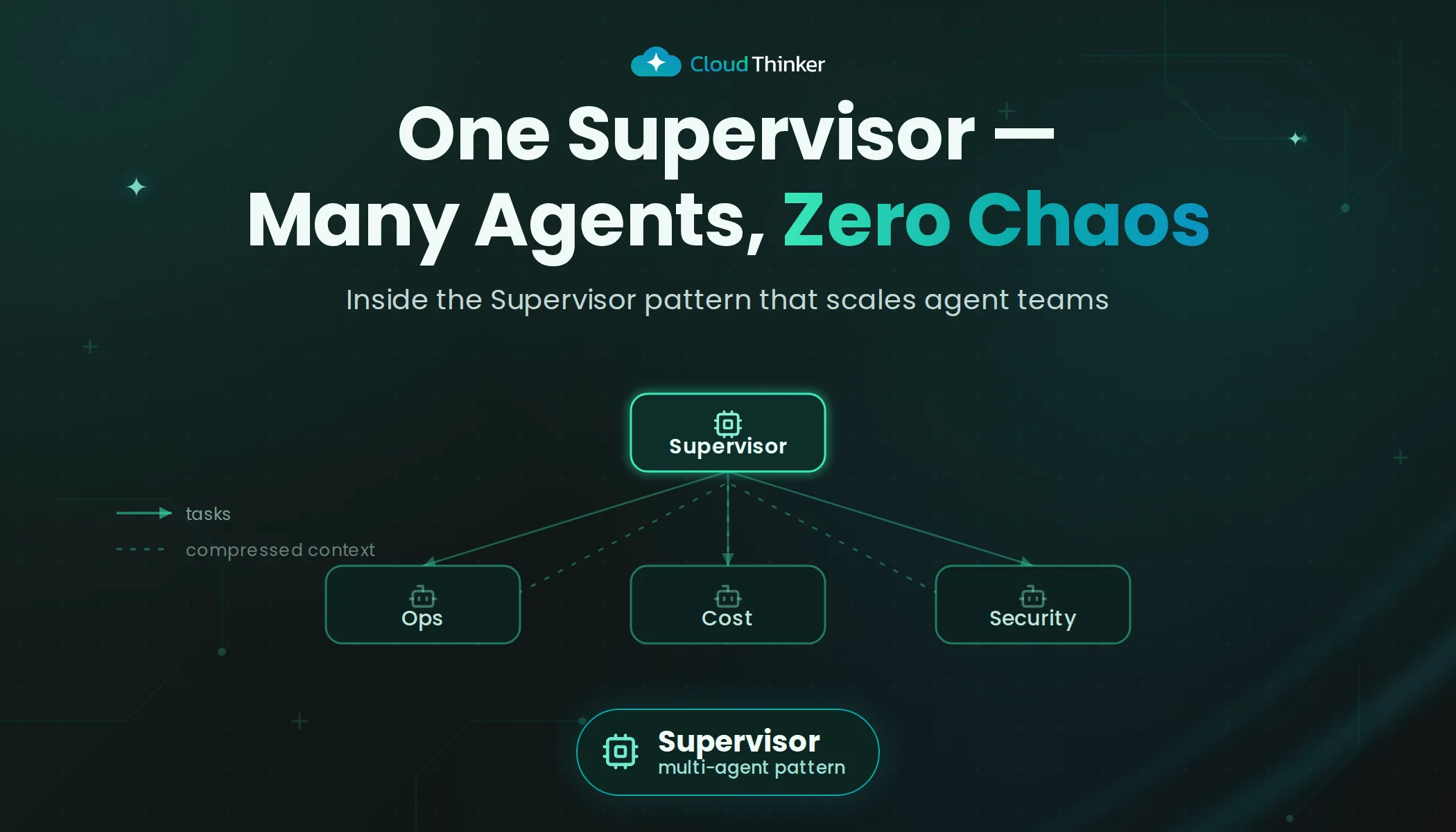
- Supervisor (what we use). One agent whose only job is making sure the work gets done. It gives us clear ownership, explicit routing and a single place to manage state.
Choosing the supervisor variant
| Variant | When to use | Trade-offs |
|---|---|---|
| Flat supervisor | Small teams (2 to 10 agents) | Simple and reliable. CloudThinker uses this. |
| Supervisor with agents as tools | Delegation | Less autonomy for workers, tighter coupling |
| Hierarchical | Large organizations | Scales, but adds latency and a middle layer |
| Custom graph | Complex dependencies | Flexible, and miserable to debug |
Our domains are distinct (compute, database, security), so one flat layer is enough. Hierarchical makes sense only when a sub-team should handle work end to end without the top-level coordinator, or past about ten agents. We avoid custom graphs: in production, boring and predictable beats flexible and broken.
Routing: optimistic, with a fail-safe
In theory the supervisor routes everything. In practice that's slow and expensive. Nobody should ask the manager for permission to check the time.
We use optimistic routing: assume the specialist can handle it, and keep a safety net.
- Default to the specialist. "Show running instances" goes straight to the cloud specialist. No supervisor round trip, zero orchestration overhead.
- Sticky sessions. If you're mid-conversation with the database specialist, you stay there. Being sent back to the main menu on every reply is annoying.
- Escalation as the safety net. If the cloud specialist gets "Why is my RDS slow?", it doesn't guess. It hands the question back to the supervisor, which routes it to the database specialist. Complex tasks never fail silently. They escalate.
This cuts latency by 40 to 50% for most tasks: single-agent speed when one specialist is enough, the full team when it isn't.
The communication protocol
Without strict rules, agents sharing a chat turn it into context pollution: each one reacting to irrelevant data from the others until the run goes off the rails. Our group chat protocol enforces two rules:
- Explicit targeting. Every message addresses a recipient (
@cloud,@database,@supervisor). Untargeted messages are rejected. - Structured handoffs. Nobody pastes a 50-page log into the chat. Results are summarized before they're handed on.
Inside that protocol, work moves in two ways: delegation and transfer.
Delegation
01Frame
Supervisor
Decomposes the question and delegates a scoped task to the cloud specialist.
02Execute
Cloud specialist
Pulls EC2 spend and CloudWatch data. About 50K tokens of raw output.
03Summarize
200 tokens back
Only the summary returns to the group chat. The raw output stays in its own history.
04Delegate again
Database specialist
Starts from the supervisor framing, never from the 50K-token dump.
Cross-domain workflows need several specialists in sequence. Naive implementations create two problems: token growth, when each agent inherits all previous context, and coordination failures, when handoffs lose task state. Delegation solves both. The supervisor keeps accountability, workers do the specialist work, and only summaries move between them.
Take an AWS cost investigation. The cloud specialist gathers EC2 spend. The supervisor analyzes the pattern and spots a database cost anomaly with no matching compute change. The database specialist investigates the RDS configuration and proposes a fix. This can't be a straight transfer: the supervisor needs the cloud data to frame the database task, but the database specialist shouldn't inherit 50K+ tokens of CloudWatch output. So the database specialist receives the supervisor's 200-token delegation (including "no compute correlation"), not the raw dump. The supervisor waits for its result to compile the final plan.
Token economics. Each agent keeps an isolated message history. When one agent delegates to another, only the handoff message enters the receiver's context. For a three-step chain:
| Shared context | Isolated context | |
|---|---|---|
| Agent A | 50K | 50K, returns a 200-token summary |
| Agent B | 50K + 30K = 80K | 0.2K + 30K = 30.2K |
| Agent C | 80K + 20K = 100K | 0.2K + 20K = 20.2K |
| Total processed | 230K | 100.4K (56% less) |
Across production CloudThinker workflows, delegation with context isolation cuts tokens by 50 to 70% against shared-context implementations, which shows up directly in cost and latency.
Trade-offs. Each handoff needs supervisor reasoning about whom to activate and what context to pass. In our metrics that's about 5 seconds per handoff: fine for complex work, wasted on simple single-specialist tasks. The most common anti-pattern is delegating too early. "@cloud go check EC2 costs" with no hint of what to look for forces back-and-forth, so the supervisor has to frame the task before handing it over. Failures mid-chain need a policy too: retry with the same specialist, escalate to another, or abort. Ours retries three times with exponential backoff, then escalates to the user.
Transfer
01Delegation
Supervisor stays
Multi-step questions like "why did costs spike?". Results come back for synthesis.
02Transfer
Specialist takes over
Single-domain questions like "what PostgreSQL version are we on?". The supervisor exits, no callback.
Not every task needs supervision. Transfer is a full ownership handoff: the supervisor exits, the specialist takes over, and the user talks to the specialist directly from then on. Two questions decide it. Does the task need more than one specialist? Will the supervisor need the result? If both answers are no, transfer.
Transfer fits "What's our PostgreSQL version?" or "Show current Kubernetes pods." Delegation fits "Why did costs spike?" or "Investigate API slowness."
Because the supervisor's state is archived at handoff and there's no callback, transfer is cheaper and faster than delegation in our metrics: 10.2K tokens down to 7.2K, and about 4 to 6 seconds down to 2 to 3. The common failure is premature transfer. The supervisor has to finish decomposing the problem first:
- Too vague:
"App has high latency" → "@cloud investigate" - Enough context:
"API response times 200ms → 1.8s at 14:00 UTC" → "@cloud investigate infrastructure causes"
Transfer only when the specialist has enough context to work alone.
Context optimization techniques
Coordination solves the breadth problem and creates a new one: token growth. Four techniques keep it in check.
Prompt caching
Input-to-output ratios are very different between chatbots and agents. A chatbot runs around 3:1. An agentic system can reach 100:1, because it reasons, plans and acts through many tool calls, often 50+ per task. Input tokens dominate the bill, which makes prompt caching a production requirement rather than an optimization.
Prompt caching (KV caching) lets the model reuse context computed on earlier calls. Providers charge a premium to write the cache and a large discount to read it, often 80 to 90% off, with up to 85% lower latency on cached requests and a much shorter time to first token. After a few calls that reuse the same prefix, the economics swing heavily in your favor.
The breakpoint problem. The rule is simple: cache everything static, keep dynamic content at the end. "Static" is trickier than it sounds. As the Manus team found, a single timestamp in the wrong place invalidates the whole cache. We treat cache hit rate as a top-level KPI. Below 90%, we treat it like a production incident.
The three-tier prompt. Following the Manus team's point that objective prompts belong outside the cache boundary, we split every request into three tiers:
01Tier 1
Static prompt
Tool schemas and core rules. Written to cache once, then hit on every call.
02Tier 2
History
Actions and observations. The checkpoint moves forward after each completed turn.
03Checkpoint
Cache boundary
Everything above is reused. Nothing above it is ever edited.
04Tier 3
Objective
Live plan, team and memory results. Regenerated each turn, never cached.
- Tier 1, static system prompt. Tool schemas and core behavior rules. One cache write, then hits on every call (95%+ hit rate across conversations).
- Tier 2, conversation history. Actions and observations accumulate as the agent works. After each completed turn the checkpoint moves forward, so all past work is cached.
- Tier 3, dynamic objective. Always after the checkpoint. Holds live context (team composition, connected resources, active plan, memory results) and is regenerated every turn.
At step N, the agent produces action 1 and gets observation 1. At step N+1, that pair moves behind the checkpoint and is reused. By step N+2, both earlier pairs are cached. Only the small objective block is reprocessed per turn. Implementations that edit the system prompt or insert content mid-history invalidate the cache on every call instead. Keeping dynamic content at the end is the foundation of the 80 to 95% cost reduction.
Asynchronous context compaction
Caching saves money, but the window still fills. Even with 200K tokens, a multi-hour infrastructure analysis fills up with tool outputs and reasoning.
The standard answer is summarization. The way most teams implement it hurts both the user experience and accuracy.
Why synchronous summarization failed. Our first version paused the agent at 90% context, called a separate summarizer agent to compress history, then resumed. Two problems:
- The wait. Users stared at a spinner for 45 seconds in the middle of a debugging session.
- The outsider gap. In our benchmarks, handing history to a generic external summarizer degraded performance on later tasks. It lacked the working agent's reasoning state and produced generic summaries that dropped technical detail.
The fix: asynchronous self-summarization.
01Trigger
70% full
Compaction starts well before the window runs out.
02Background
Self-summary
The active agent summarizes its own work in a side thread, with the cache intact.
03Foreground
No pause
The user keeps working against the full, uncompacted context.
04Swap
Splice state
History up to the trigger becomes the summary. Newer messages stay raw.
- Trigger at 70%. We don't wait for the edge. At 70% context, a background job starts.
- No blocking. The main agent keeps answering against the full, uncompacted context. The user sees nothing.
- Hot swap. When the job finishes, we splice state: history up to the trigger point is replaced by the summary, and messages written while the job ran stay raw.
The summary comes from the active agent itself, asked to "summarize your work so far" in the background thread, not from a new summarizer persona. Because it summarizes its own conversation, it keeps the details that matter to its current goal. This removed the maintenance pause entirely and improved long-context completion rates by keeping recent context raw.
The cache trap. Even in the background, you pay for the summary's input tokens. The instinct is to switch the system prompt to "You are a summarizer." That breaks the cache for the entire history, and you pay full price to re-read 100K tokens you're about to throw away. Don't touch the system prompt. Append the instruction as the last message instead.
The two versions below use the Amazon Bedrock Converse API. Pricing is Claude Sonnet 4.5: $3/MTok input, $15/MTok output, $0.30/MTok cache read.
Naive version, new system prompt, cache broken:
response = bedrock_runtime.converse(
    modelId=MODEL_ID,
    system=[
        # New system prompt (~500 tokens). The prefix changed, so nothing below is a cache hit.
        {"text": "You are a summarizer agent..."},
    ],
    messages=[
        # Old messages to summarize (~100K tokens), all reprocessed as uncached input
        {"role": "user", "content": [{"text": "Message 1..."}]},
        {"role": "assistant", "content": [{"text": "Response 1..."}]},
        # ...
        {"role": "user", "content": [{"text": "Message 50..."}]},
    ],
)
Cost: 500 uncached ($0.0015) + 100K uncached ($0.300) + 2K output ($0.030) = $0.3315
Optimized version, original system prompt kept, instruction appended:
response = bedrock_runtime.converse(
    modelId=MODEL_ID,
    system=[
        {"text": "You are the CloudThinker supervisor agent..."},  # ~8K tokens, already cached
        {"cachePoint": {"type": "default"}},
    ],
    messages=[
        # Old messages (~100K tokens), unchanged and already cached
        {"role": "user", "content": [{"text": "Message 1..."}]},
        {"role": "assistant", "content": [{"text": "Response 1..."}]},
        # ...
        {"role": "user", "content": [{"text": "Message 50..."}]},
        {
            "role": "assistant",
            "content": [
                {"text": "Response 50..."},
                {"cachePoint": {"type": "default"}},  # everything above is a cache read
            ],
        },
        # Summarization instruction at the end (~500 tokens, uncached)
        {
            "role": "user",
            "content": [
                {
                    "text": "Summarize the conversation above. "
                    "Extract: key decisions, technical analysis, errors, current state."
                }
            ],
        },
    ],
)
Cost: 8K cached ($0.0024) + 100K cached ($0.030) + 0.5K uncached ($0.0015) + 2K output ($0.030) = $0.0639
Savings: 80.7% ($0.3315 → $0.0639) on every compaction.
Trade-offs and recursive summarization. Summaries lose some nuance. We reduce that with summary templates that preserve technical decisions, error patterns and user feedback, so agents keep continuity across compaction boundaries. For very long sessions we summarize recursively: earlier summaries feed the next pass, so older context gets progressively denser while recent context stays detailed.
Tool consolidation
Anthropic's Model Context Protocol (MCP) standardized how agents connect to systems, from Slack to Postgres. It made connecting tools easy. Too easy.
Tool pollution. With MCP, an agent can suddenly see 500 tools. Put 500 definitions in the context window and there's little room left for reasoning: the agent spends its attention parsing the tool list, or hallucinates parameters because the context is flooded.
Code execution, used sparingly. Anthropic also proposed code execution with MCP: give the agent an execution environment and let it discover tool definitions from a file tree instead of listing them in the prompt. That progressive disclosure is efficient, but reliability is our first goal, and in our experience an agent that can't see a "restart database" tool is less likely to reason its way to using it as part of a larger fix.
Our middle ground: consolidated tools with just-in-time schemas. Keep the capability visible, load the manual on demand. A classic CRUD design exposes five tools (recommendation_list, recommendation_get, recommendation_create, recommendation_update, recommendation_delete). We merge them into one:
# Minimal description; the full schema is behind get_instruction
@tool(description=MINIMAL_RECOMMENDATION_TOOL_DESCRIPTION)
async def recommendation(
    command: Literal["get_instruction", "get_all", "delete", "create", "update"],
    recommendation_ids: list[UUID] | None = None,
    recommendations: dict | None = None,  # generic dict instead of a typed schema
) -> str:
    ...
The get_instruction command does the work. Instead of paying for the full parameter schema in every request, the agent sees that the recommendation tool exists (unlike pure code execution) and pays for the schema only when it needs it. If it forgets how to update a recommendation, it calls recommendation(command="get_instruction"). Documentation moves from always loaded to on demand, without losing visibility.
Parallel tool calling
Early agent architectures were sequential by design. The ReAct pattern, introduced in 2022, set the standard loop: call one tool, read the result, reason, call the next. Models weren't trained for simultaneous operations, and frameworks enforced one call at a time for reliability.
That changed in 2024. When Anthropic made Claude 3 tool use generally available in May 2024, parallel tool calls weren't supported. As models improved, providers trained them to issue several independent calls in one response, and current Claude models do.
Capability isn't enough; you have to ask for it. Models default to sequential calls unless prompted otherwise. Anthropic's documentation recommends: "For maximum efficiency, whenever you need to perform multiple independent operations, invoke all relevant tools simultaneously rather than sequentially." That one instruction can cut multi-tool latency by 3 to 5x.
In CloudThinker, parallelism shows up naturally during plan execution. When an agent completes a plan step, it checks which next steps are independent. Finishing "gather cost data" can start "analyze compute patterns", "review storage utilization" and "audit network traffic" at once.
The saving isn't only latency. Every round trip re-reads the context. Batching five tool calls into one request removes four round trips of context processing, and that change alone cut cost by 30 to 40% on our complex workflows.
What each technique buys
| Technique | Problem it solves | Result in our workflows |
|---|---|---|
| Supervisor with optimistic routing | One agent can't be expert in every domain | 40 to 50% lower latency for most tasks |
| Delegation with isolated context | Every agent re-reading every other agent's output | 50 to 70% fewer tokens |
| Three-tier prompt caching | Input tokens dominate at 100:1 | 80 to 95% lower cost, up to 85% lower latency |
| Async self-summarization | Full windows and 45-second pauses | No pause; 80.7% cheaper per compaction |
| Consolidated tools, JIT schemas | 500 tool definitions crowding out reasoning | Schemas loaded only when used |
| Parallel tool calling | Independent steps waiting in line | 3 to 5x faster, 30 to 40% cheaper |
The common thread is that each fix protects the context window: what goes into it, what stays cached, and how often it's re-read. Coordination patterns matter, but most of the cost and latency came back through context discipline.
Related reading
- Agent memory with Memgraph
- Choosing the right model to optimize AI costs
- Inside CloudThinker's sandbox
Conclusion
Teams of agents fail predictably and succeed through disciplined optimization. The supervisor pattern gave us operational clarity: predictable failures, traceable routing and trade-offs we can measure. The rule we'd give anyone starting out is that complexity is a choice. Start with a single agent. Add prompt caching. Instrument everything. Move to a supervisor only when the metrics demand it.