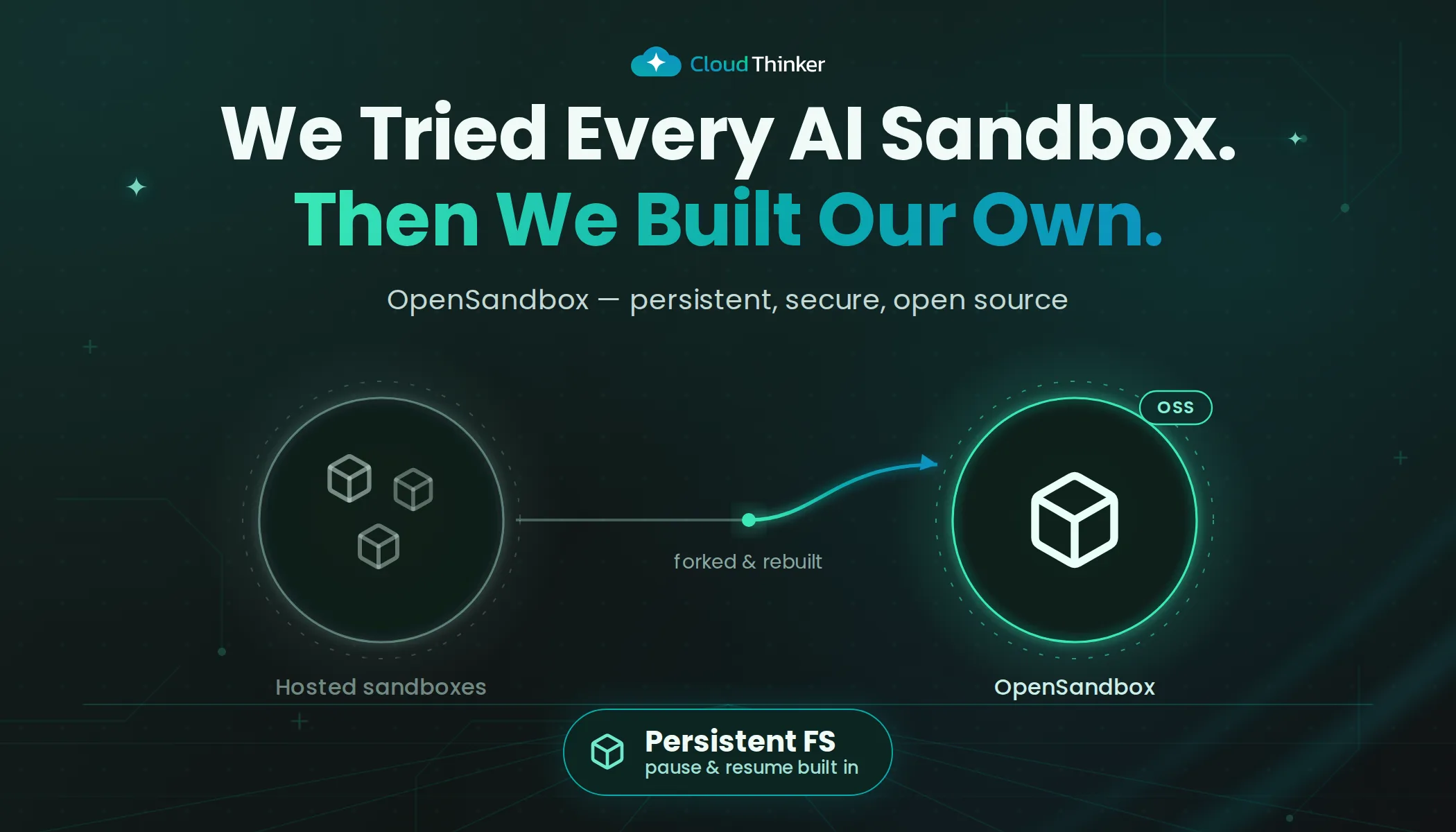
We Tried Every AI Sandbox. Then We Built Our Own.
Hosted sandboxes couldn't reach our private APIs. Self-hosted ones needed dedicated servers. So we built our own, and open-sourced it.
One of our AI agents spent 40 minutes debugging a cloud networking issue. It installed diagnostic tools, traced network configurations and correlated logs across several services. It was three commands from the root cause, the kind of deep investigation that separates a useful agent from a chatbot.
Then the session timed out. Everything gone. The agent started over from zero, reinstalling the same tools, re-tracing the same logs, re-learning the same context. Forty minutes of compute, burned twice.
Cost was the smaller problem. The bigger one was the architecture: sandboxes that lived outside our network, couldn't reach our internal APIs, needed enterprise plans for basic features like private network access, and gave us no control over what our agents could reach. When you run AI agents against production infrastructure, "it works but we can't see what it's doing" is a liability.
So we evaluated every option on the market, found an open-source project with the right foundation, added the production features it was missing, and open-sourced the result.
TL;DR: OpenSandbox on EKS is self-hosted AI sandbox infrastructure with persistent filesystems, tiered pause/resume, network security controls and security hardening, running in your own AWS account. Get started.
Why agent workloads break ordinary sandboxes
Most sandbox products were designed for a different job: run a snippet, return the output, throw the box away. That shape fits a code interpreter in a chat window. It doesn't fit an operations agent, for three structural reasons.
Agents work in long, stateful sessions. An investigation installs tools, clones repos, captures packet traces and builds up partial analysis over hours or days. A sandbox that can only be destroyed and recreated throws all of that away at every timeout, node failure or idle period.
Agents spend most of their life idle. They wake when a PR opens or an alert fires, work for a while, then wait. Infrastructure priced and sized for active use charges full rate for the waiting.
Agents need to reach private systems. The useful work happens against internal Grafana, private databases and APIs that aren't on the public internet. A sandbox in someone else's network can't get there without expensive plumbing, and you can't audit what it touched once it does.
Each requirement rules out a category of tooling.
Choosing the right sandbox
01Hosted APIs
Fast, but outside
Sandboxes live in the provider network, so private APIs, databases and dashboards are out of reach.
02Self-hosted VMs
Inside, but rigid
Dedicated servers or VMs, no Kubernetes scheduling, and destroy-and-recreate as the only lifecycle.
03Kubernetes-native
Right foundation
Alibaba OpenSandbox: lifecycle server, execution engine, SDKs in five languages. Missing the production layer.
Hosted sandbox APIs
Managed infrastructure, fast cold starts, SDKs in every language: we had agents running in an afternoon. Then we tried to connect an agent to our internal Grafana instance. Nothing. The sandbox lived in the provider's network, completely isolated from our private infrastructure. Internal APIs, private databases, monitoring dashboards were all unreachable. Connecting to our network needed expensive enterprise tiers ($3K+/month), and even then you don't control the underlying infrastructure.
The pricing model was also wrong for AI workloads. Per-second billing works for quick, short-lived tasks. AI agents run long sessions, install tools, explore systems and iterate. You pay for compute the entire time, with no way to pause a sandbox to cheaper storage when it's idle.
Some hosted sandboxes now offer basic outbound traffic filtering, but you configure the rules through an API you don't own. When an incident happens, you can't inspect the rules, review traffic logs, or audit what your agent actually accessed.
Self-hosted VM-based alternatives
The other camp offered something different: run sandboxes on your own infrastructure. Open source, self-hosted, full control. Exactly what we wanted, in theory.
In practice, these tools needed dedicated physical servers or traditional VMs. They weren't designed for Kubernetes, the orchestration platform we'd spent years building around. That meant no automatic scaling, no cost-saving spot instances, and no integration with the infrastructure we already had.
The operational model was limiting too. Most VM-based solutions only support destroy-and-recreate. There's no concept of pausing a sandbox and resuming it later with state intact. For agents on multi-day investigations, that's a dealbreaker: you either keep the VM running (expensive) or destroy it and lose everything (wasteful).
A Kubernetes-native foundation
After those dead ends, we found Alibaba's OpenSandbox, an open-source project that got the fundamentals right.
It was Kubernetes-native from the ground up, designed for container orchestration rather than a VM tool with a Kubernetes wrapper. It included a lifecycle management server, an execution engine inside each sandbox, and SDKs in five languages (Python, TypeScript, Java, C#, Go).
Honestly assessed, it was a foundation, not a production system. For running on AWS at scale, critical features were missing:
- No filesystem persistence. Sandbox state didn't survive restarts.
- No tiered pause/resume. No way to suspend sandboxes at different cost tiers.
- No network security beyond basic defaults: no outbound filtering, no cloud credential protection.
- A minimal base image, missing the languages, CLIs and tools agents actually need.
- Security gaps: admin access, excessive permissions, weak isolation.
The foundation was right. The production layer was ours to build.
| Hosted sandbox APIs | Self-hosted VMs | OpenSandbox on EKS | |
|---|---|---|---|
| Reach private systems | Enterprise tier only | Yes | Yes, inside your VPC |
| Runs on Kubernetes | Not your cluster | No | Native |
| Pause with state intact | No cheap idle tier | Destroy and recreate | Warm and cold tiers |
| Network rules you can audit | Through the vendor API | Yes | Standard network policies |
| Spot instances and autoscaling | Not your call | Rarely | Yes |
| Who owns the isolation layer | The vendor | You | You, in open source |
Architecture in 60 seconds
01Client
SDK
- Sandbox.create()One call, any language
- Python, TypeScript, JavaPlus C# and Go
- Code, files, shellTalks to the execution engine
HTTP and SSE
02Control plane
 EKS cluster
- Lifecycle serverFastAPI, the SDK gateway
- Sandbox resourceStandard Kubernetes object
- ControllerReconcile, scale, clean up
No extra orchestration layer
03Per agent
Sandbox pod
- Execution engineInstalled by a setup step
- Persistent filesystemSurvives restarts and moves
- Network rulesPer-sandbox filtering
Unprivileged, locked down
04Storage
 AWS
AWS
- EBS volumesActive and warm disks
- EBS snapshotsCold, archived state
- ECRSandbox images
Your account, your VPC
The request flow is short:
- Call
Sandbox.create()from any SDK (Python, TypeScript, Java, C#, Go). - The FastAPI lifecycle server creates a Sandbox resource in Kubernetes.
- The controller creates an isolated container with persistent storage and network rules.
- A setup step installs the execution engine into the container.
- The startup script sets up the persistent filesystem and security restrictions.
- The SDK talks to the execution engine for code execution, file ops and shell commands.
The whole lifecycle (create, pause, resume, archive, terminate) is managed through standard Kubernetes resources. No extra orchestration layers. No external databases. When something goes wrong, kubectl and your existing cluster dashboards are the debugging tools.
A later post will cover filesystem persistence, controller design, network security and storage tiering in full depth.
What we added
01State
Persistent filesystem
Packages installed once survive pause, resume and node moves.
02Cost
Tiered pause and resume
Warm saves about 68% against active; cold drops to about $0.50 a month.
03Network
Filtering per sandbox
Block internal services, cloud credentials and sensitive endpoints with policies you can audit.
04Tooling
Pre-built environment
Languages, cloud CLIs, cluster tools and developer utilities already installed.
05Integrations
MCP servers included
Monitoring, database and infrastructure integrations ready out of the box.
06Hardening
Locked down
No admin access, no privilege escalation, minimal permissions, shared paths protected.
1. Persistent filesystem
Standard containers lose every change when they restart. We added a persistent filesystem layer so each package install, config change and downloaded file survives restarts. The agent installs tools once. They're still there next week.
2. Tiered pause and resume
Not all sandboxes are equally active. Running sandboxes sit at full compute cost, but idle ones should cost almost nothing.
| Tier | What's kept | Resume time | Cost (20GB) |
|---|---|---|---|
| Active | Full compute + disk | Instant | ~$5/mo |
| Warm (paused) | Disk only | ~5 seconds | ~$1.60/mo |
| Cold (archived) | Snapshot only | ~30 seconds | ~$0.50/mo |
Snapshots only store the data your agent actually wrote, not the full 20GB volume. A sandbox that used 10GB of its 20GB disk costs about $0.50/mo as a snapshot.
01Active
~$5/mo
Full compute and disk. Ready instantly.
02Warm
~$1.60/mo
Paused to disk only. Resumes in about 5 seconds.
03Cold
~$0.50/mo
Archived to a snapshot. Resumes in about 30 seconds.
04Resume
All restored
Every installed tool, config file and work-in-progress artifact comes back.
An agent that's idle for a few hours gets paused to warm. Idle for days, it's archived to cold. Resuming from any tier restores the full filesystem: every installed tool, every config file, every work-in-progress artifact.
3. Network security and filtering
Every sandbox gets its own network filtering layer. With hosted solutions you configure rules through an API you don't control. OpenSandbox gives you full visibility instead: standard network policies you can audit, customize and plug into your existing security tooling.
4. Pre-built environment
Every sandbox ships with languages, cloud tools, monitoring integrations and developer utilities already installed, so no session spends its first five minutes installing tools.
| Category | Included |
|---|---|
| Cloud CLIs | aws, gcloud, az |
| MCP servers | Grafana, Elasticsearch, SonarQube, Zabbix |
| Cluster and Git | kubectl, helm, git, gh |
| Dev utilities | ripgrep, jq, curl, python3, node, bun |
5. Security hardening
Running untrusted, AI-generated code needs a locked-down environment:
- No admin access. Agents run as unprivileged users.
- Privilege escalation blocked. Code has no path to elevated permissions.
- Minimal permissions. Only what's needed during initial setup, then immediately restricted.
- Shared directories locked down. No hijacking temp files or shared paths.
OpenSandbox at scale
Every AI agent at CloudThinker runs inside its own isolated OpenSandbox environment, one Kubernetes pod per agent running under gVisor (a user-space application kernel that intercepts syscalls, so agent code never talks to the host kernel directly) with a persistent filesystem, inside an auto-scaled EKS cluster in a private VPC. Persistence covers the agent's own files, not its secrets: credentials are scoped to each task, held in memory and revoked when the task ends, and terminating a sandbox deletes its storage. The sandbox security post covers that side. At any moment a few sandboxes are active (one debugging Kubernetes, one running a security audit, one analyzing logs), more are paused on warm disks, and the long tail sits in cold snapshots.
The typical lifecycle: an agent is assigned a task, creates or resumes a sandbox, works for minutes or hours, then goes idle. The system pauses it to warm storage automatically. If the user comes back next week, the sandbox resumes from a snapshot in about 30 seconds with every tool still installed and every file in place.
A concrete example. One agent was debugging an intermittent connection timeout between a cloud service and a database. Day one: it installed diagnostic tools and traced the issue to a networking bug. Day two: the engineer asked the agent to continue. It resumed in 4 seconds with everything intact (captured data, scripts, partial analysis). No reinstallation. It found the fix within an hour.
What we learned
Persistence changes everything
One of our agents had been working for 11 hours. It had installed diagnostic tools, cloned repositories and was correlating logs across several services. At 3 a.m., the spot instance it was running on got terminated.
The system moved it to a new server. Every file, every tool, every piece of progress came through intact. The agent didn't even notice it had moved.
Without persistence, that's 11 hours of wasted compute. With it, it's a non-event. That night convinced us persistence isn't optional; it's the foundation. Everything else we build assumes the sandbox survives failures.
Design for idle, not for active
Agents are event-driven. They activate when a PR opens or an issue is created, then sit idle. Without tiered storage, you pay full price for every sandbox whether it's working or not.
With tiered storage, idle sandboxes drop from ~$5/mo to ~$0.50/mo, about 90% cheaper. At 200 sandboxes where 80% are idle, that's the difference between ~$1,000/mo and ~$200/mo.
Most infrastructure is designed for peak load. Agent infrastructure should be designed for idle.
Why open source
When AI runs code against production, you need to see the isolation layer. If an agent executes kubectl delete namespace production, the difference between "fine, it was sandboxed" and a career-ending incident is the sandbox implementation. That implementation shouldn't be a black box behind an API.
The ecosystem also needs a shared standard. Every AI platform is building proprietary sandbox infrastructure: duplicated engineering that doesn't interoperate. We'd rather compete on what agents accomplish than on container plumbing.
And we need help, specifically with:
- Secure container runtimes: making gVisor a first-class option in the open-source charts, the way CloudThinker runs its own pods.
- Local development: running sandboxes on a laptop without a full cloud cluster.
If either interests you, the issue tracker has tagged good-first-issue items for each.
What's next
- gVisor by default: shipping the gVisor runtime class in the open-source deployment, so every sandbox pod gets a user-space kernel out of the box.
- Tiered cold storage: automatic archival for sandboxes that haven't been accessed in weeks, driven by usage metrics.
- Snapshot pre-warming: predictive resume that restores a sandbox before the user asks, based on usage patterns.
Get involved
- GitHub: cloudthinker-ai/opensandbox-on-eks
- Getting started: Quick start guide
- Try CloudThinker: cloudthinker.io, OpenSandbox in action powering CloudThinker AI agents
Building AI agents and fighting sandbox problems? Open an issue. We read every one.
Related reading
- Inside CloudThinker's sandbox: secure execution and private connectivity
- The architecture for scalable autonomous operations
- CloudThinker Platform: architecture and primitives
Coming up next
Part 2: 1,000 AI Agents, One Cluster. The Architecture That Holds.
The full technical deep dive: how OverlayFS keeps agent work alive across node failures, how tiered storage cuts costs by 80 to 90%, and why blocking one IP address prevents an entire class of privilege escalation attacks.
Coming soon. Follow us on Facebook or LinkedIn to get notified.